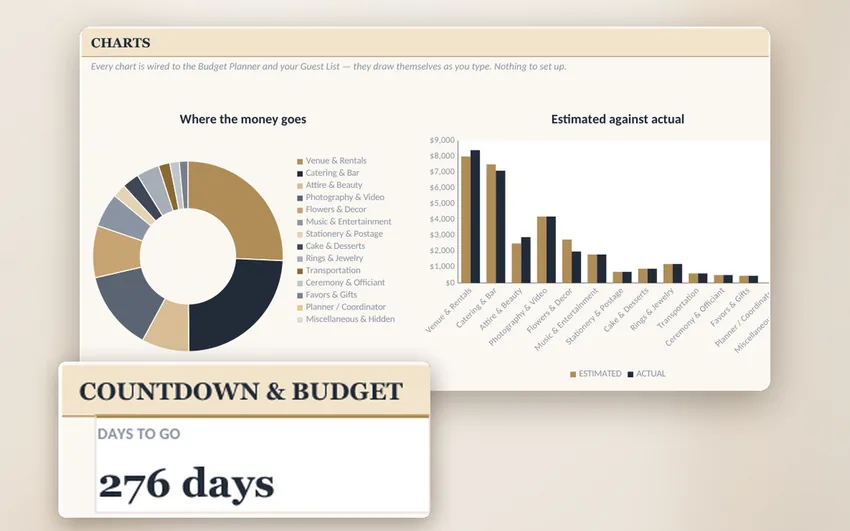
The Dashboard
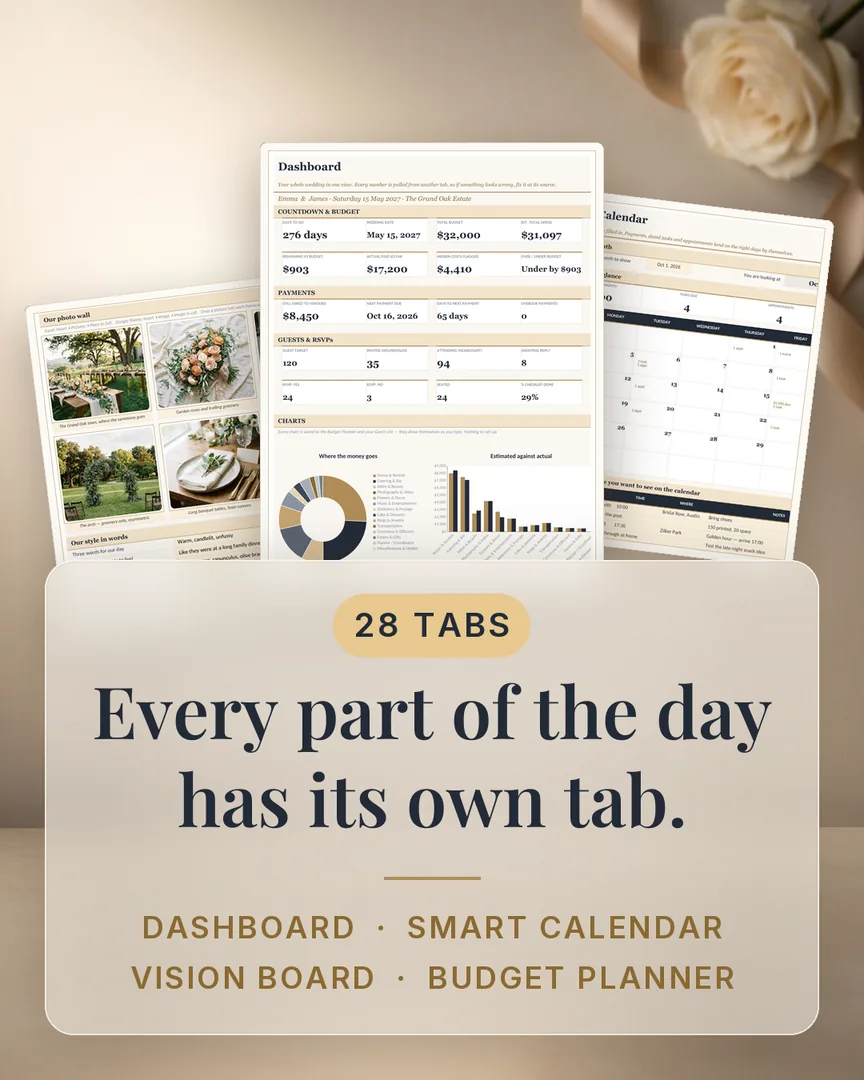
Budget, payments, guests and RSVPs — every number pulled from the other tabs, plus three charts that draw themselves.
Before you book another vendor
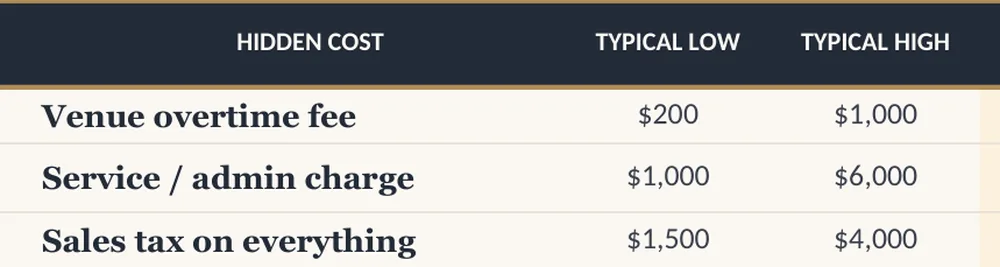
You plan a wedding once. So the budget gets set before you know what anything really costs — and the gap shows up one fee at a time. This planner opens with 62 of the costs couples most often miss, each with a typical price range, then keeps going: guests, vendors, payments and the day-of timeline, on a Dashboard that totals itself as you type.
Instant download · 30-day refund · Excel & Google Sheets
$34,200 average wedding · about 1 in 3 couples go over · $7,347 average overspend (The Knot, 2026)
“A really great tool.” — Bespoke Bride Magazine
“In a world where not every wedding has a bride, your app feels inclusive, and you’re not going overboard on ‘bridal’ language. That’s great to see.” — Claire Gould, English Wedding
A silent screen recording of the file you download. Sample data.
01By the numbers
28
tabs
62
hidden costs
1,222
formulas
77/77
checks passed
Every number above is one you can count inside the file yourself.
02The tour
Every image below is a screenshot of the actual file, with sample numbers in it.
The Dashboard
Budget, payments, guests and RSVPs — every number pulled from the other tabs, plus three charts that draw themselves.
Vision Board
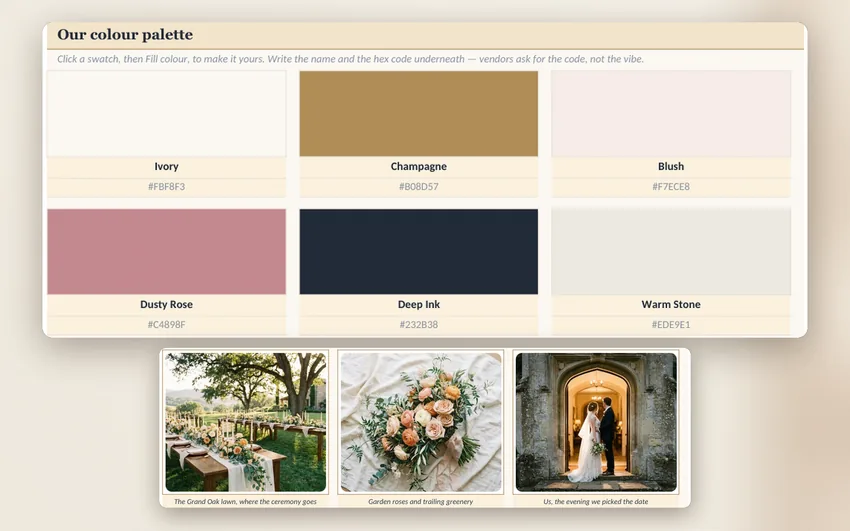
Your palette with the hex codes vendors ask for, plus a photo wall and your pinned inspiration — in the file, not another app.
Budget Planner
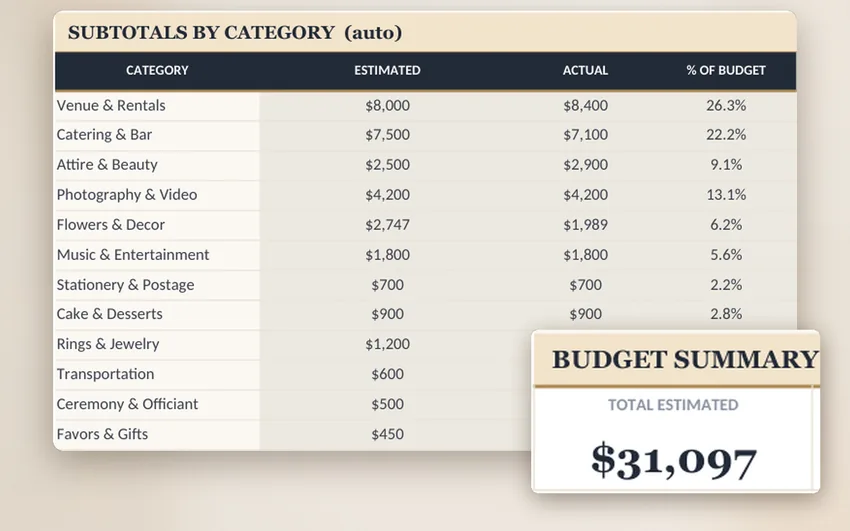
Type one vendor price; balances, category subtotals and the Dashboard update themselves.
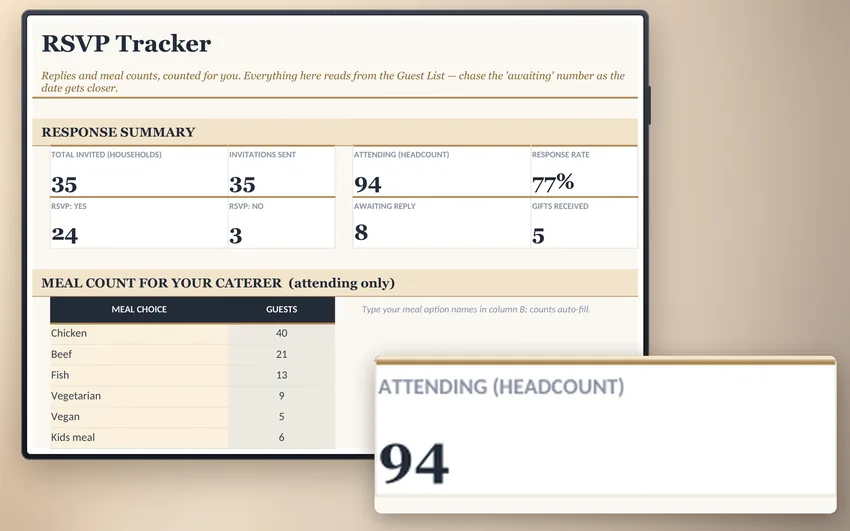
RSVP Tracker
Replies, meal counts and gifts tallied from the Guest List — the headcount your caterer asks for, already added up.
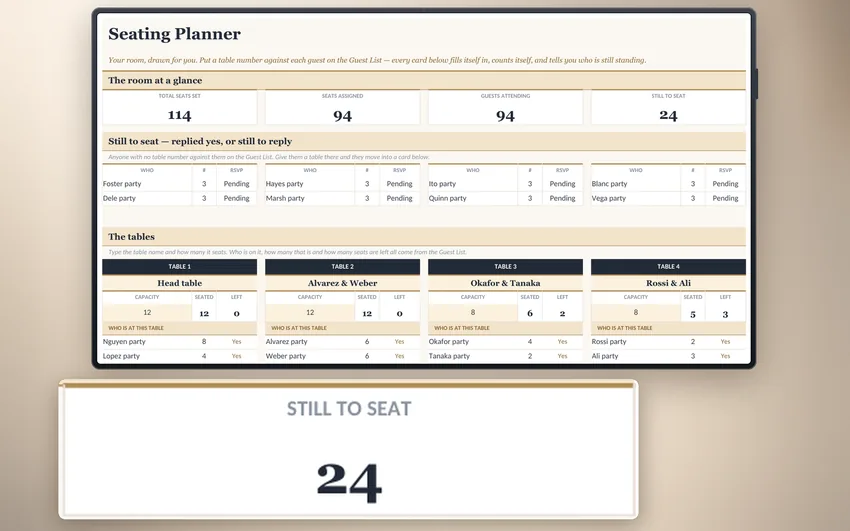
Seating Planner
Your room as table cards — type each guest once on the Guest List and the tables, counts and seats-left draw themselves.
Five of the 28 tabs. Every one of the other 23 is named below.
And here is every tab you get
From people using it
“This planner is amazing, it's incredibly thorough and everything is formatted to really simplify all the confusing, moving parts of wedding planning. I've only just started using it and can tell it'll be a great help. Really appreciate Corbin's Reddit giveaway for this, I don't know if I would've found something else as good otherwise!”
03The offer
The Ultimate Wedding Planning Spreadsheet
$39
The fees it catches run $100 to $6,000 each. It only has to catch one.
The complete 28-tab planner — every tab named above, in Excel and Google Sheets
Five free bonuses — the four guides and the Filled Example Wedding, shown below
Instant download after checkout — yours to keep, no subscription
Comparable planners sell for $67 with no refunds. This one is $39 with a real 30-day guarantee.
Secure checkout by Blink.
The bonus stack
All five come in the same download as the spreadsheet. The four printable PDFs are pictured below — each picture is page one of the actual file.
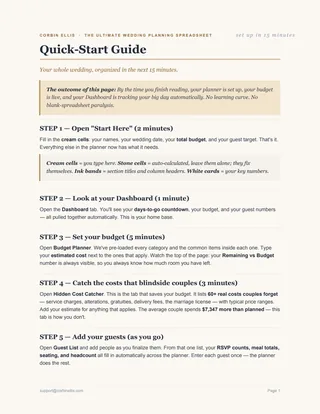 FREE
FREEQuick-Start Guide
From download to a planner that's tracking your wedding in about 15 minutes — what to open first, what to type where.
 FREE
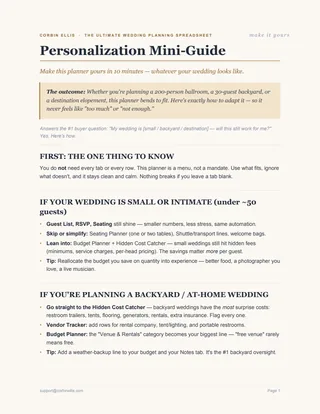
FREEPersonalization Mini-Guide
How to fit the planner to a small, backyard or destination wedding — use the tabs that fit, skip the rest, nothing breaks.
 FREE
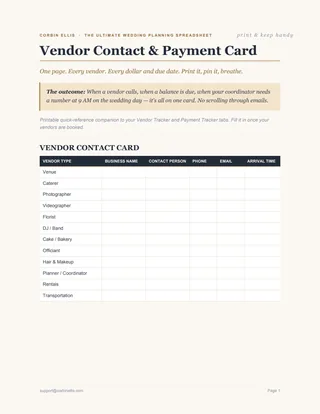
FREEVendor Contact & Payment Card
Vendor contacts, balances owed with due dates, and day-of tip envelope amounts — print it and hand it to your coordinator. Ships blank by design — you fill it in as you book.
 FREE
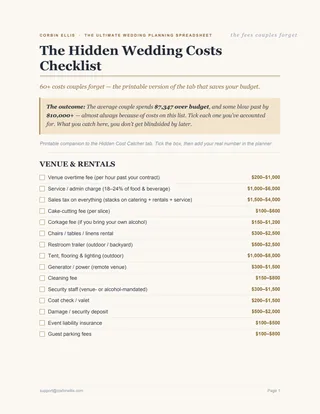
FREEHidden Wedding Costs Checklist
The printable version of the Hidden Cost Catcher — tick off each fee you've covered before it can blindside your budget.
The Filled Example Wedding
FREEA second copy of the planner with a whole sample wedding already typed in — every tab, formula and chart working — so you can see how it all fits together before you enter a single number of your own.
04Our promise
The Organized Wedding Guarantee
We built this planner after seeing too many couples blindsided by costs like corkage, alterations, vendor meals and overtime — expenses most budget templates overlook. So we researched those costs, priced them, and built every one into the file before you type a single number. And we tested every formula, because the last thing you need two weeks before your wedding is a spreadsheet that stops working.
Our goal is simple: calmer planning and a clearer, more realistic budget. If it doesn't deliver that, email us at support@corbinellis.com within 30 days and we'll send every cent back — no form, no reason needed. If a spreadsheet is properly built, its maker should be happy to stand behind it — so we do. A real person reads every email.

— Corbin Ellis
05Before you decide
No. It opens ready to use. There is a Start Here tab where you type your names, date and budget. After that you type into the marked cells and the totals calculate themselves — you never write a formula.
That is the number one complaint in this whole category, and it is exactly why we tested. 1,222 formulas, 77 of 77 verification checks passed, zero broken cells, verified in both Excel and Google Sheets.
Free templates cover the basics, then miss the line items that actually blow budgets — alterations, gratuities, delivery fees, the marriage licence. This has 62 hidden costs pre-loaded with real price ranges, a Dashboard that adds everything up for you, and every formula tested. It works out at about a tenth of a percent of a $34,200 wedding.
Both, and it is tested in both. For Google Sheets: upload the file to Drive → File → Import → "Replace spreadsheet." One clean step and every formula runs natively. Once it is in Drive you can open and edit it from your phone in the Sheets app.
Yes — instant digital download right after checkout, and the download link is in your receipt. No waiting, nothing posted to you, no subscription: it is a one-time purchase of a file you keep forever.
Yes. Save a fresh copy of the file for each wedding and every copy calculates independently, so one client's budget never touches another's. It is a personal-use licence: use it for as many weddings as you plan yourself, but the file itself cannot be resold or handed on as your own product.
Then you pay nothing. Email us within 30 days and we refund in full — no form to fill in, no reason to give.
06Ready when you are
Your download
Included with it, at no extra cost:
Checkout is secured by Blink, our payment partner — cards are processed by Stripe with bank-level encryption, and your details never reach us.
A one-page starter list of 15 fees couples consistently miss — overtime, service charges, alterations, gratuities, delivery, the licence. The full 62 live inside the planner. Yours whether you buy or not.
One email with the checklist, then occasional wedding-planning tips. Unsubscribe anytime. See our Privacy Policy.